Phone Farming Setup Guide 2026: How to Build a Phone Farm from Scratch
Phone farming (also called mobile farming) means running many real smartphones from one computer so they can work through mobile apps in parallel. This guide covers how phone farms are built: hardware, network, power, software, and scaling, with the cost items to price before you buy.
Introduction: What is a Phone Farm?
A phone farm is a collection of physical smartphones configured to run automated tasks simultaneously. In the context of Instagram automation, it lets operators manage accounts across real devices while controlling device, profile, power, and network configuration directly.
Unlike API, browser, or emulator workflows, a phone farm can execute actions through the Instagram Android app on physical hardware. That changes the infrastructure signals involved, but it does not make automation invisible or guarantee how Instagram will evaluate an account.
The concept is not new. In a legitimate operations context, the value is direct control over hardware, account isolation, and local content rather than a promise to evade detection.
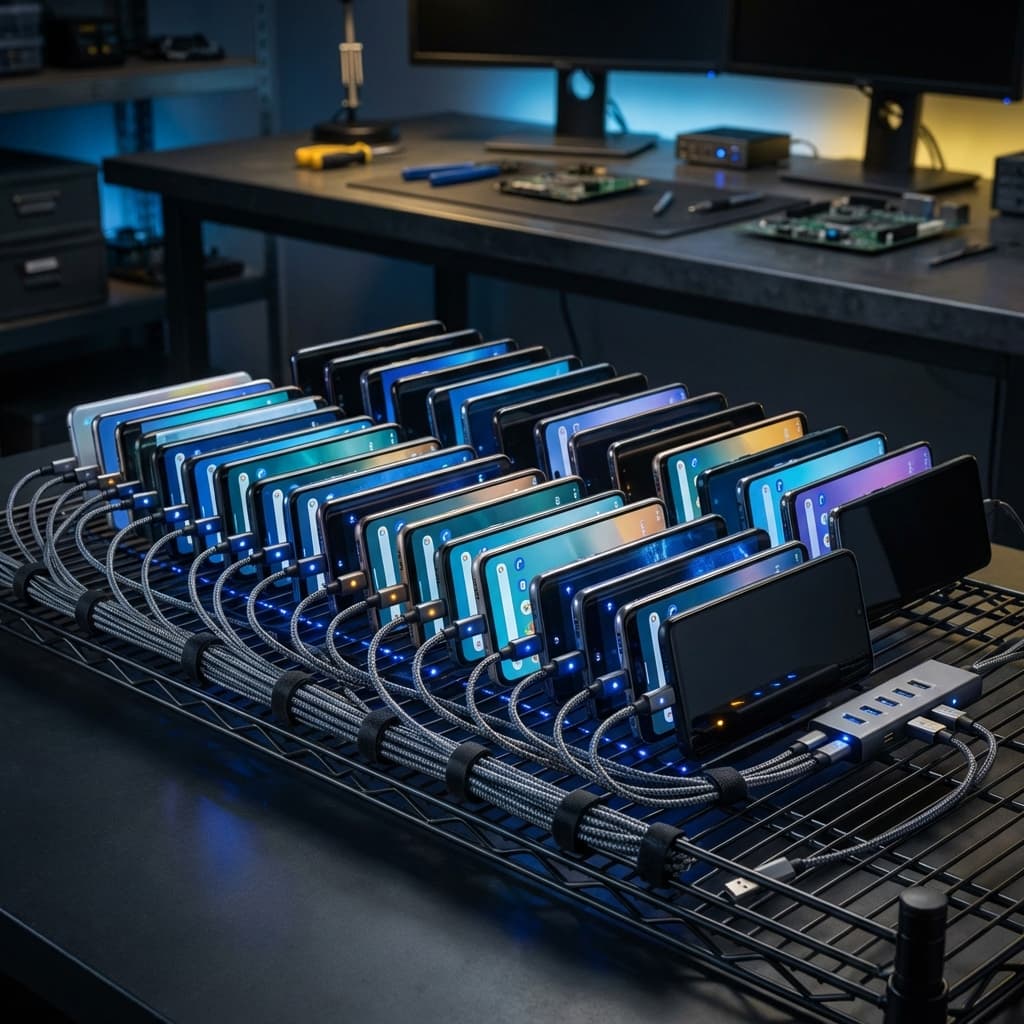
Key Definition
Phone Farm: A physical infrastructure of multiple smartphones (typically 5-100+) connected to power and network, running automation software to perform tasks across multiple social media accounts simultaneously.
Who Uses Phone Farms?
- Theme Page Networks: Operators running 10-100+ niche pages for monetization
- Growth Agencies: Managing Instagram growth for paying clients at scale
- Streamers & Creators: Distributing content clips across multiple accounts
- E-commerce Brands: Building audiences across product verticals
Phone Farming, Phone Farms & Mobile Farming: What the Terms Mean
Phone farming is the activity; a phone farm is the hardware that does it. Mobile farming is the same idea under another name, common in search and in some regional markets. All three describe multiple physical phones, powered and networked together, driven by software from a single workstation.
How Mobile Farming Works
A mobile farming setup has the same building blocks at any size: the phones (the mobile farming devices), powered data-capable USB hubs, a host computer, a network path per phone or per segment, a rack or shelf, and the control software. The software sends commands to each phone, reads the screen state, and records what happened. The sections below walk through each block in the order you should buy and configure them.
Can You Build an iPhone Farm?
You can rack iPhones, but an iPhone farm is harder to automate than an Android phone farm. Android exposes ADB (Android Debug Bridge), which lets a Windows or Linux host tap, type, and read the screen over USB. iOS has no ADB equivalent; iPhone UI automation generally runs through Apple's XCUITest framework, which needs a Mac with Xcode and developer signing for the helper app on each device. That adds cost and setup work per phone, and iOS does not offer the multi-user profiles Android does.
ShadowPhone's executor uses ADB and GrapheneOS, so it runs on supported Google Pixel phones, not iPhones. If you are choosing hardware for a new phone farm, the rest of this guide assumes Android. Wondering about the rules side? Read is phone farming legal? before you buy hardware.
How Phone Farms Differ from Hosted Automation
Instagram can consider behavioral, session, network, and device-context signals. It does not publish a complete signal count or guaranteed enforcement threshold. The practical differences between physical and hosted infrastructure are:
| Factor | Phone Farm | Cloud Bot |
|---|---|---|
| Execution environment | Physical Android hardware | Provider-dependent hosted or emulated runtime |
| Network | Operator-selected Wi-Fi or mobile data | Provider-selected routing and reputation |
| Interaction path | UI-level control through ADB | API, browser, or emulated control depending on service |
| Isolation | OS profiles on supported Pixel hardware | Depends on the vendor's runtime boundaries |
| Scalability | Limited by owned hardware and local capacity | Limited by provider capacity and plan |
Reality Check
Infrastructure changes the signals an account presents, but it does not guarantee an outcome. Real-device execution reduces API, emulator, and browser-fingerprint signals, but outcomes depend on configuration, behavior, pacing, and platform enforcement.
Hardware Selection: Support Lifecycle First
ShadowPhone's current setup uses GrapheneOS on supported Google Pixel hardware. Choose a carrier-unlocked device that permits bootloader unlocking, then price its remaining security-support life rather than relying on a stale used-price ranking. GrapheneOS recommends Pixel 8-generation or later for new purchases; verify the official support table before ordering.
GrapheneOS Support Horizon
| Device | Minimum support end | New-fleet guidance |
|---|---|---|
| Pixel 8 / 8 Pro | October 2030 | Recommended baseline |
| Pixel 8a | May 2031 | Recommended for a longer runway |
| Pixel 7a | May 2028 | Shorter-horizon option |
| Pixel 6 / 6 Pro | October 2026 | Do not buy for a new deployment |
Existing fleets should track the other published minimum dates: Pixel 7 and 7 Pro through October 2027, and Pixel 6a through July 2027. These dates are migration deadlines, not reasons to buy short-lived hardware for a new deployment.
Older Devices to Exclude
- Pixel 5a, Pixel 5, Pixel 4a 5G, Pixel 4a, and older Pixels are end-of-life and no longer receive GrapheneOS support.
- Pixel 6 and 6 Pro reach their minimum support end in October 2026, so they are migration devices rather than new-fleet purchases.
- Reject carrier-locked devices and listings that cannot confirm bootloader unlocking eligibility.
Pro Tip: GrapheneOS
GrapheneOS provides hardened Android profiles with separate app data and profile-scoped state on supported Pixels. Profiles are not separate physical phones: apps can still observe the underlying device model, and GrapheneOS says apps can detect the OS through its privacy and security behavior. Read our GrapheneOS for Instagram automation guide or follow the setup walkthrough.
Where to Buy
- Online marketplaces: Check seller history, return terms, carrier lock, IMEI status, and bootloader unlock eligibility.
- Refurbishers: Require a written battery test, USB-C test, warranty, and replacement process.
- Local sellers: Inspect the device, verify it factory-resets, and confirm OEM unlocking before payment.
- Wholesale lots: Test a representative sample and define acceptable battery and cosmetic grades in writing.
Network Setup: WiFi, Mobile Data & Proxies
Network configuration is one part of the operating model alongside account history, device assignment, content, and behavior. Profiles on one phone normally share its connection. For an in-depth look at WiFi, mobile data, VPN, and proxy tradeoffs, see our phone farm networking guide. Here are the main options:
Option 1: Home WiFi (Small Scale)
Home WiFi is the simplest configuration, and every phone on that connection normally shares one public IP. Instagram does not publish a universal safe account count for a household IP, so choose capacity from your operational requirements and monitor account status rather than relying on a fixed threshold.
- Free (existing internet)
- Simple setup
- Shared public egress across connected phones
Option 2: Mobile Data (SIM Cards)
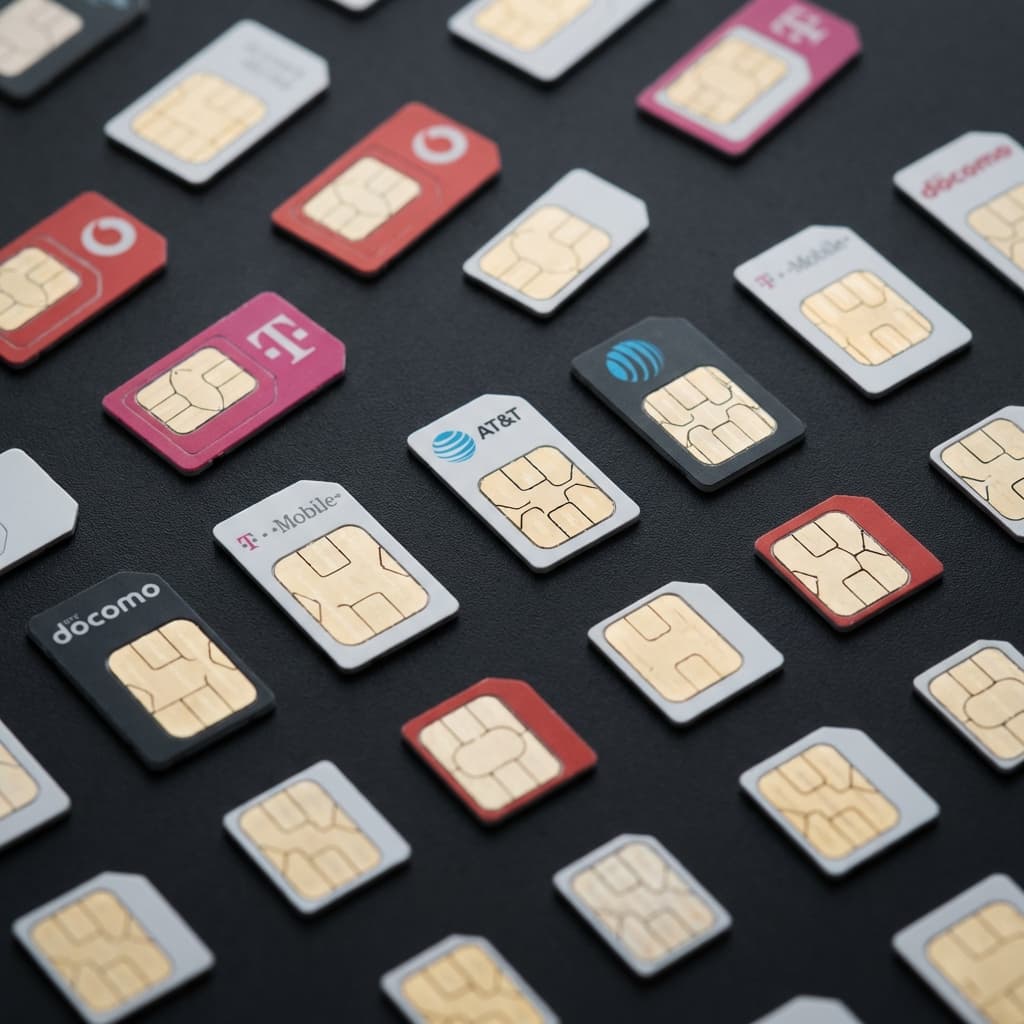
A physical phone can use its own SIM and mobile-data connection, which moves egress from the shared WiFi path to a carrier network. Carrier addresses can be dynamic or shared through CGNAT, so one SIM does not guarantee one unique or stable public IP.
| Provider | Plan | Cost/Month | Best For |
|---|---|---|---|
| Mint Mobile | 4GB | $15 | Budget operations |
| Visible | Unlimited | $25 | Heavy automation |
| Google Fi | Flexible | $20-30 | Variable usage |
Option 3: Mobile Proxies (Advanced)
Rotating residential/mobile proxies allow multiple devices to share infrastructure while appearing unique. More complex but cost-effective at scale.
Warning: Datacenter Proxies
Never use datacenter proxies for Instagram. They're catalogued and flagged immediately. Only use residential or mobile proxies from reputable providers.
Power Management & Cooling Solutions
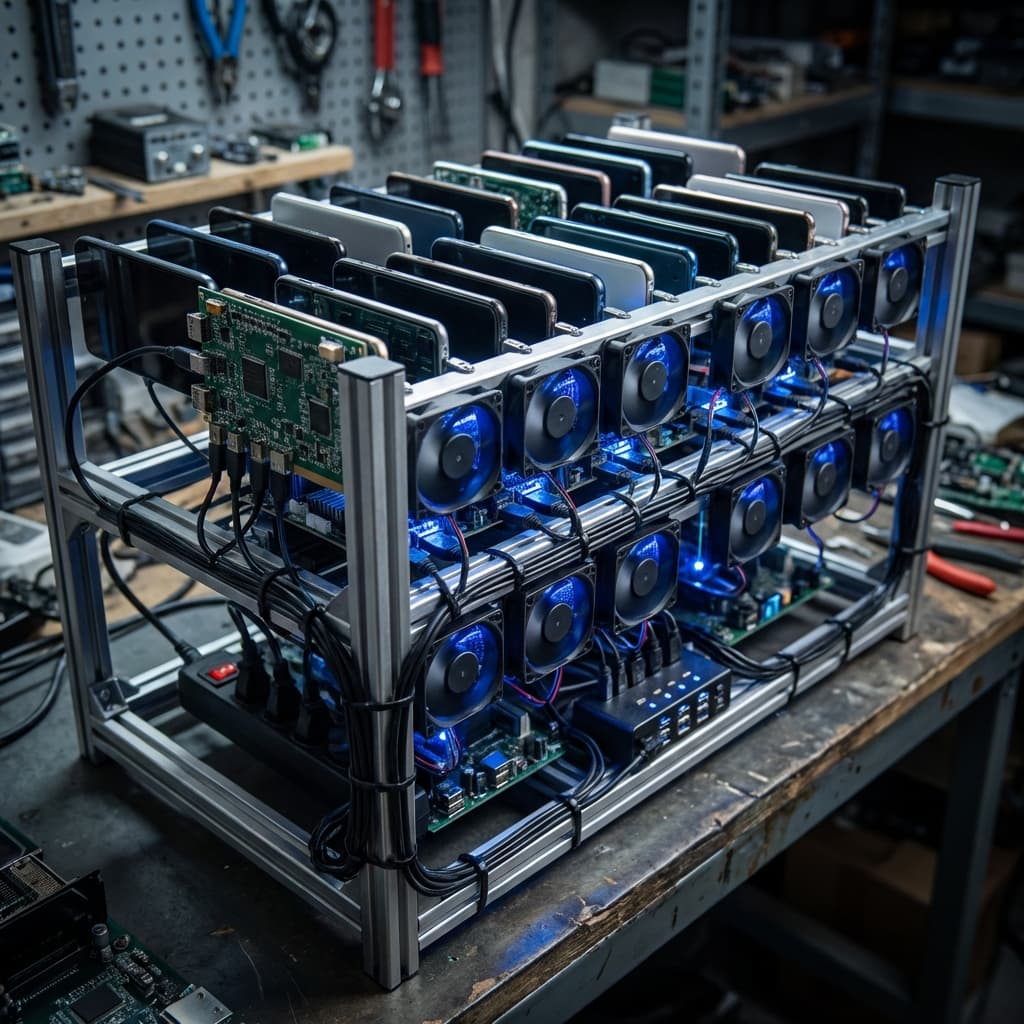
Phones running 24/7 generate significant heat and require constant charging. Proper power and cooling prevents device failure and fire hazards.
Power Requirements
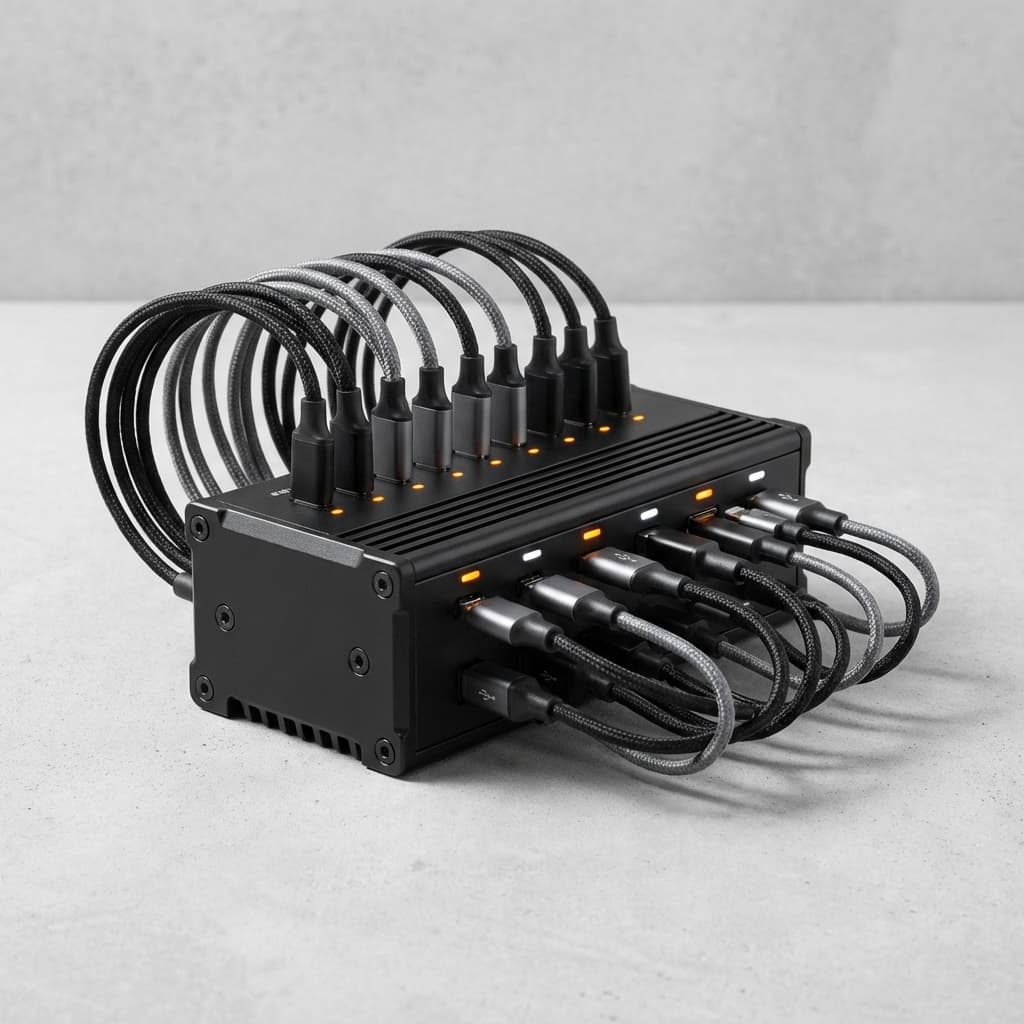
- USB Charging Hub: Get a 10+ port hub with individual switches ($30-80)
- Smart Power Strips: Schedule charging cycles to preserve battery ($25-50)
- UPS Backup: Protect against power outages at scale ($100-300)
Cooling Solutions
| Scale | Solution | Cost |
|---|---|---|
| 1-10 phones | USB desk fans | $15-30 |
| 10-25 phones | Standing fan + open rack | $50-100 |
| 25-50 phones | AC unit in dedicated room | $200-500 |
| 50+ phones | Server room HVAC | $1,000+ |
Battery Health Tip
Keep phones between 20-80% charge to extend battery life. Modern automation software can be configured to pause when battery drops below threshold. Budget for battery replacements every 12-18 months.
Software Stack & Automation Tools
The software running on your phones determines what actions you can automate and how safely you can execute them. Your stack needs to handle device control, automation logic, account management, and performance monitoring.
Operating System Options
The OS layer is your foundation. Each option offers different tradeoffs between ease of use and capability:
| OS | Pros | Cons | Best For |
|---|---|---|---|
| Stock Android | Easy setup, familiar | No profile isolation | Beginners, 1:1 phone:account |
| GrapheneOS | Multi-profile isolation, maximum privacy | Pixel-only, learning curve | Pro operators, 3-5 accounts per device |
| LineageOS | Wide device support | Variable stability | Budget devices, advanced users |
Automation Engines
The automation engine executes your workflows. There are three main approaches:
- Managed SaaS (ShadowPhone, etc.): Complete platform with GUI, scheduling, analytics. Easiest to use. $97-$497/month ($77-$397/month billed annually) depending on plan. Zero coding required.
- ADB Scripting (Custom): Write your own automation with Python + ADB. Full control but requires programming skills. Free but time-intensive.
- Macro Apps (AutoInput, Tasker): On-device automation with visual workflows. Middle ground between SaaS and custom. Moderate learning curve.
Device Management Layer
You need to remotely view and control all devices from your computer. Essential tools:
- scrcpy: Free, open-source screen mirroring. Excellent performance. The industry standard.
- Vysor: Commercial alternative with team features. $10-40/year per device.
- ADB commands: Direct command-line control. Essential for scripting and automation.
- Pushbullet: Notifications and SMS forwarding. Useful for 2FA codes.
Analytics & Monitoring
Track performance across all accounts to identify what's working and catch problems early:
- Follower tracking: Daily growth, follow-back rates, engagement trends
- Action logs: What actions were performed, when, and results
- Health monitoring: Action blocks, shadowban detection, account status
- ROI dashboards: Revenue per account, cost per follower, payback periods
Software Stack Summary
Recommended starter stack: GrapheneOS on supported Pixels + ShadowPhone automation + scrcpy for device management. ShadowPhone plans run $97-$497/month ($77-$397/month billed annually) and cover 1-10 phones. This gives you real-device automation without writing code.
Physical Organization & Device Management
A well-organized phone farm is easier to maintain, troubleshoot, and scale. The difference between a professional operation and a tangled mess comes down to planning your physical infrastructure from day one.
Phone Rack Options
Your mounting solution affects airflow, accessibility, and cable management. Options range from DIY to commercial solutions:
| Rack Type | Capacity | Cost | Pros/Cons |
|---|---|---|---|
| Acrylic phone holder | 6-12 phones | $15-30 | Clean look, limited airflow |
| Wire grid rack | 20-40 phones | $40-80 | Excellent airflow, DIY assembly |
| Commercial device rack | 50-100+ phones | $200-500 | Professional, integrated cable management |
| DIY shelf + 3D printed mounts | Custom | $50-150 | Flexible, time investment required |
Labeling System
When you have 25+ devices, identification becomes critical. Establish a consistent labeling system:
- Number each device physically (label maker or stickers)
- Match cable numbers to device numbers (colored tape or cable labels)
- Create a master spreadsheet: Device # → Account → SIM # → Notes
- Set device hostname to match physical label for easy identification
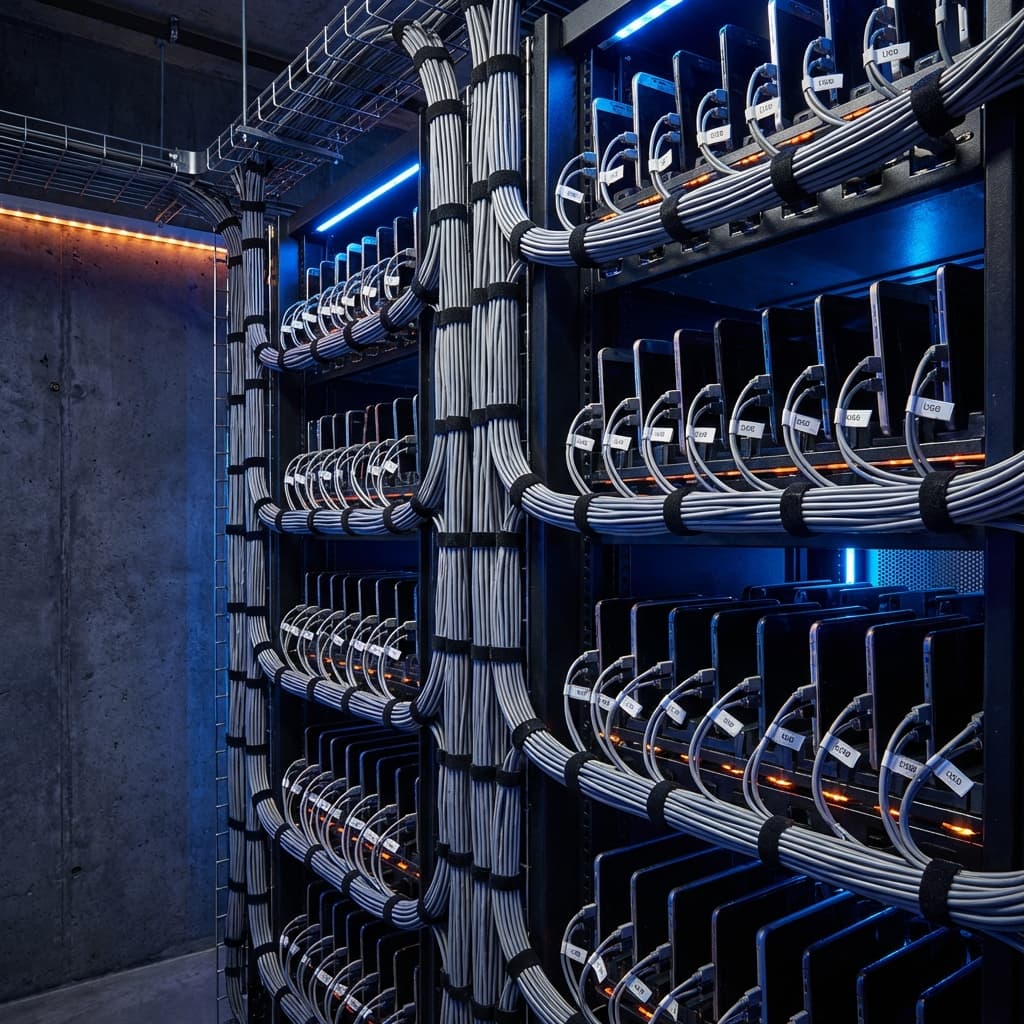
Cable Management
Tangled cables create troubleshooting nightmares. Invest in proper cable management from the start:
- Short USB cables: Use 6-12" cables to minimize tangle. Longer cables are rarely needed.
- Cable trays: Run cables through horizontal trays, not hanging loose.
- Velcro ties: Avoid zip ties—they make reconfiguration harder.
- Spare cables: Keep 10-20% extra cables ready for replacements.
Workspace Requirements
Consider the physical space needed for your operation:
- 5-10 phones: Desk corner, minimal dedicated space
- 10-25 phones: Dedicated desk or shelf unit (~3ft x 2ft)
- 25-50 phones: Closet or small room, climate control needed
- 50+ phones: Dedicated server room or commercial space
Pro Tip: Photo Documentation
Take photos of your initial clean setup from multiple angles. When cables inevitably get messy during troubleshooting, you'll have a reference for the "correct" configuration.
Scaling: From 5 to 50+ Devices
Scaling a phone farm isn't just buying more phones. Each scale milestone introduces new challenges in management, network, power, and operations. Here's how to grow systematically.
Phase 1: Starter Farm (5-10 Devices)
Goal: Learn the fundamentals and prove your monetization strategy before investing heavily.
- Start with 5 phones, preferably identical models
- Use home WiFi or 5 SIM cards
- Basic acrylic phone holder + USB hub
- Focus on one niche or account type to learn patterns
- Manual oversight while developing SOPs
Phase 2: Small Operation (10-25 Devices)
Goal: Develop repeatable processes and start treating this as a real business.
- Transition to dedicated charging infrastructure
- Add active cooling (standing fan minimum)
- Implement monitoring and alerting
- Document all processes for repeatability
- Consider upgrading to managed automation software
Phase 3: Medium Operation (25-50 Devices)
Goal: Optimize efficiency and prepare for enterprise-scale operations.
- Dedicated room or large closet with AC
- Commercial-grade racks and cable management
- Multiple MVNO contracts or proxy infrastructure
- Backup power (UPS) for critical operations
- Established replacement/repair pipeline
Phase 4: Large Operation (50+ Devices)
Goal: Enterprise-grade infrastructure with minimal hands-on maintenance.
- Dedicated server room or commercial space
- Enterprise HVAC and fire suppression
- Hire part-time or full-time operator
- Business entity and proper accounting
- Consider managed solutions vs. DIY
Scaling Rule of Thumb
Never more than double at once. Going from 5 to 10 is manageable. Going from 5 to 50 creates cascading failures you can't troubleshoot. Grow incrementally: 5 → 10 → 15 → 25 → 40 → 60. Each step teaches you what breaks at that scale.
Scaling Readiness Checklist
Before adding more devices, ensure these are in place:
- Standard operating procedures documented
- Monitoring and alerting configured (Discord/Slack webhooks)
- Backup devices ready (10% of total fleet)
- Network infrastructure tested at target capacity
- Power circuits rated for load with 20% headroom
- Cooling adequate for ambient temperature + device heat
- Monthly revenue covering next batch of devices
Common Scaling Mistake
Buying 50 phones before proving ROI with 10. Many operators get excited and over-invest, then discover their niche doesn't monetize, their software doesn't scale, or they can't manage the operational complexity. Start small, prove profitability, then scale.
Cost Breakdown & ROI Analysis
Startup Costs by Scale
| Item | 5 Phones | 25 Phones | 50 Phones |
|---|---|---|---|
| Supported Pixel hardware | Live device quote × 5 | Live device quote × 25 | Live device quote × 50 |
| Charging infrastructure | $50 | $200 | $500 |
| Racks & organization | $30 | $150 | $400 |
| Cooling | $20 | $100 | $500 |
| Total Setup | Device quote + accessories | Device quote + infrastructure | Device quote + infrastructure |
Used-device pricing changes by region, condition, carrier lock, and remaining support life. Get a current written quote for an unlockable Pixel 8-generation or later device, test a sample, then multiply that approved unit cost by the fleet size.
Monthly Operating Costs
| Item | 5 Phones | 25 Phones | 50 Phones |
|---|---|---|---|
| SIM cards/data | $75 | $375 | $750 |
| Software | $77 | $197 | $497 |
| Electricity | $10 | $40 | $80 |
| Total Monthly | $162 | $612 | $1,327 |
ROI Example
Build an ROI model from measured revenue, attribution, plan costs, hardware, connectivity, replacement reserves, restrictions, and operator time. A phone count does not imply a revenue range, return multiple, or payback period.
Common Mistakes to Avoid
- Unreviewed network routing: Datacenter or frequently changing routes can add reputation and session-consistency risk. No connection type guarantees an outcome.
- Ignoring warm-up: New accounts need 2-4 weeks of gradual activity before automation.
- Unverified hosted environments: Confirm how a provider isolates devices, routes traffic, and exposes runtime characteristics before relying on it.
- No profile plan: Shared app data and inconsistent account-to-profile mapping increase operational and recovery risk.
- Skipping thermal checks: Sustained heat accelerates battery wear and can cause throttling or shutdowns. Monitor temperature and inspect batteries.
Frequently Asked Questions
Q: How many accounts can I run per phone?
GrapheneOS profiles separate app data, cookies, and profile-scoped identifiers, but they share the same underlying phone and device model. Capacity depends on the ShadowPhone plan, device resources, and your profile design; profile isolation is not a safety guarantee. For the current product limits, see how many Instagram accounts can one phone run.
Q: Is phone farming legal?
Owning and running many phones is not illegal in itself. Legality depends on what the phones do and where you operate: fraud such as fake ad clicks or fake reviews can break the law, while platform terms of service are a separate layer. Instagram's terms restrict automated activity, so accounts can be restricted even when no law is involved. This is general information, not legal advice; see is phone farming legal? for the full breakdown.
Q: How long do phones last in a farm?
Service life varies with device age, prior battery wear, temperature, charging policy, USB-C condition, and screen usage. Record a baseline battery and port test, use supported charge controls, keep devices ventilated, and replace any swollen or damaged battery immediately rather than relying on a fixed replacement interval.
Q: Do I need technical skills?
Basic tech comfort is sufficient to start. If you can set up a smartphone and follow YouTube tutorials, you can run a small phone farm. For advanced setups (GrapheneOS installation, ADB command-line automation, custom scripting), you'll need more technical skills—or use managed solutions like ShadowPhone that handle the complexity for you.
Q: What's the best way to monetize a phone farm?
Possible business models include theme-page sponsorships, affiliate marketing, and agency services. Validate current platform rules, advertiser or affiliate terms, customer demand, attribution, taxes, and your own unit economics; this guide does not promise earnings.
Q: How do I avoid getting detected?
No setup can promise detection avoidance. Physical devices remove some API, browser, and emulator differences, while account history, behavior, pacing, network consistency, configuration, and platform enforcement still matter. Use conservative settings and stop activity when restrictions appear.
Q: Can I run other platforms besides Instagram?
ShadowPhone currently supports Instagram only. Other platform integrations are in development and are not part of the live product.
Q: Should I build an iPhone farm or an Android phone farm?
iPhone farms need a Mac-based XCUITest toolchain for automation, while Android phone farms can be driven over ADB from a Windows host. ShadowPhone's current executor uses ADB and GrapheneOS, so it requires a supported Google Pixel rather than an iPhone. Choose Pixel 8-generation or later for a new fleet and verify carrier and bootloader unlock status before purchase.
Q: How much time does a phone farm require?
Initial setup takes 2-4 hours per device (unboxing, OS setup, app installation, account creation). Once running, daily maintenance is 15-30 minutes for a 25-device farm: checking for issues, restarting stuck devices, reviewing performance. With good automation and monitoring, you can be hands-off for days at a time.
Q: What happens when accounts get banned?
Account restrictions can occur even with a careful setup because enforcement considers many signals. When an account is restricted: pause activity, review patterns such as action velocity and account age, follow the platform recovery flow, and adjust the configuration if the issue appears across multiple accounts.
Conclusion
Phone farms are one infrastructure option for Instagram operations in 2026. They require more upfront investment than many hosted approaches, but provide direct control over hardware, networking, and account isolation.
The path forward is clear: start small with 5 devices to learn the fundamentals, prove your monetization strategy, then scale systematically as revenue grows. Every successful 100-phone operation started with a handful of devices on a desk somewhere.
Key Takeaways
- Real devices reduce virtual-environment signals. Genuine hardware avoids emulator and browser-spoofing signals, while account outcomes still depend on configuration, behavior, pacing, and platform enforcement.
- Network configuration must be explicit. GrapheneOS profiles do not create separate network paths. Document which connection each physical phone uses, understand when egress is shared, and monitor account status; an IP layout alone cannot guarantee account safety.
- Cooling prevents hardware failure. Phones running 24/7 require active cooling and charge management.
- Scale incrementally. Never more than double your device count at once. Each scale brings new operational challenges.
- ROI must be measured. Scale only after revenue attribution and fully loaded costs are proven with your own data.
Your Next Steps
- Decide your niche: Theme pages, agency services, or affiliate marketing
- Source one pilot device: Start with a carrier-unlocked Pixel 8-generation or later, verify bootloader unlocking, and test the full workflow before buying a batch.
- Set up network infrastructure: 5 SIM cards or home WiFi for initial testing
- Choose automation software: Managed (ShadowPhone) or DIY (ADB scripting)
- Start 5 accounts and monitor: Focus on learning patterns before scaling
- Prove monetization: Generate revenue before investing more capital
- Scale systematically: 5 → 10 → 20 → 40 as revenue supports growth
Whether you build your own infrastructure from scratch or use a managed solution like ShadowPhone, the core principles remain the same: real devices, proper network isolation, conservative action limits, and consistent monitoring. Master these fundamentals, and you'll join the operators running profitable phone farms that compound month over month.
Evaluate the software layer
If you are comparing orchestration tools rather than DIY scripting, start with phone farm software and then validate pricing.
Check the infrastructure model
Use real-device Instagram automation if you want the commercial explanation behind the real-phone model.
Skip the complexity. Start automating today.
ShadowPhone gives you the software layer for real-device workflows: pricing, docs, and operational guidance built around connected phones.
Start Free Trial