ShadowPhone Desktop
The desktop app that runs Instagram on your Google Pixel phones over USB. Install it, plug in a phone, and schedule the first post.
Free 7-day trial, no card • Windows 10+ or macOS 11+ • Google Pixel phones running GrapheneOS
7-day free trial, no card needed. The app then walks you through setup step by step, including installing GrapheneOS.
Already have an account?
macOS
v3.8.7 • ~147 MB
macOS 11 or later (Apple Silicon & Intel)
Not notarized — use the one-click installer if Gatekeeper blocks it
Windows
v3.8.7 • ~136 MB
Windows 10 or later (64-bit)
What to have ready
ShadowPhone runs Instagram on a real phone, so setup needs the phone on your desk. No Pixel yet? See which phone to buy. Pixel still on stock Android? Install GrapheneOS first.
A ShadowPhone account
The 7-day free trial needs no card.
A computer that stays on
Windows 10+ or macOS 11+. Runs happen on this machine.
A Google Pixel on GrapheneOS
Pixel 8 generation or newer if you are buying one.
A USB-C data cable
Charge-only cables never show the phone.
From download to your first run
Four steps, in the order the app walks you through them.
Install and sign in
Run the installer and sign in with the same account. The app sets up its phone tools itself and opens on Overview.
Getting started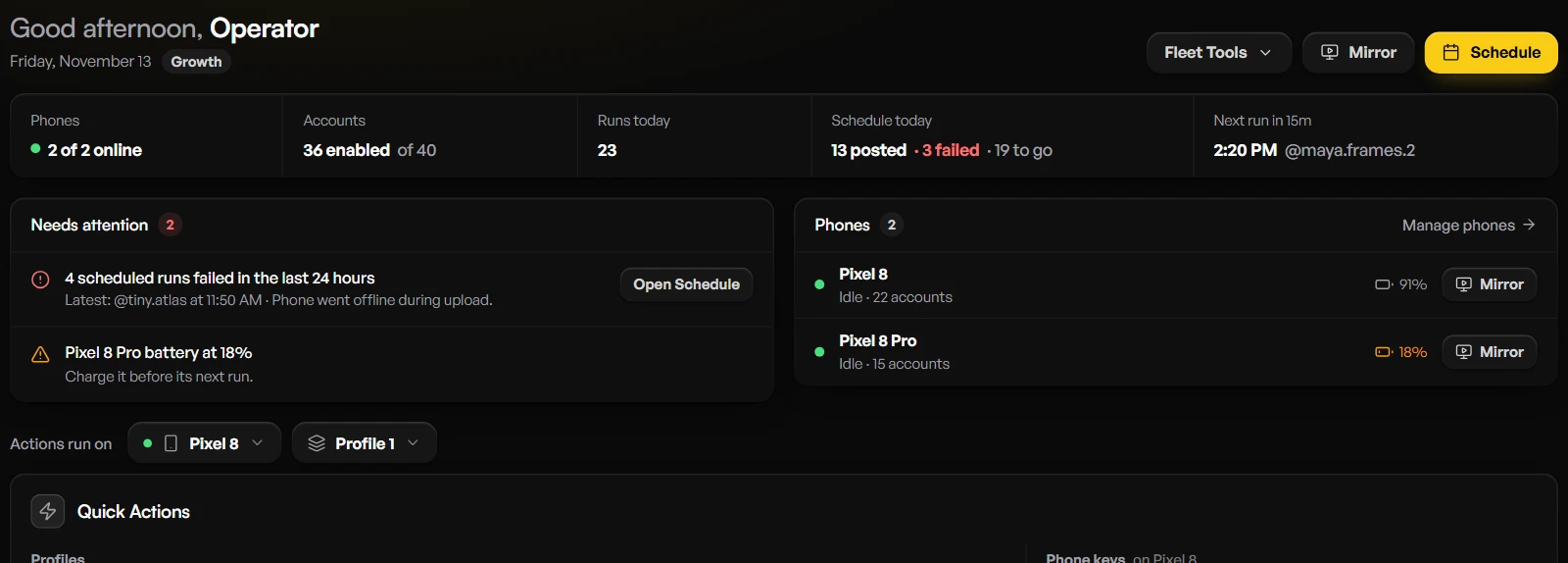
Connect a Pixel by USB
Turn on USB debugging on the phone. In the app, open Phones and click Add phone, plug in the data cable, then tap Allow on the phone. It appears in Phones marked Connected.
Connect your phone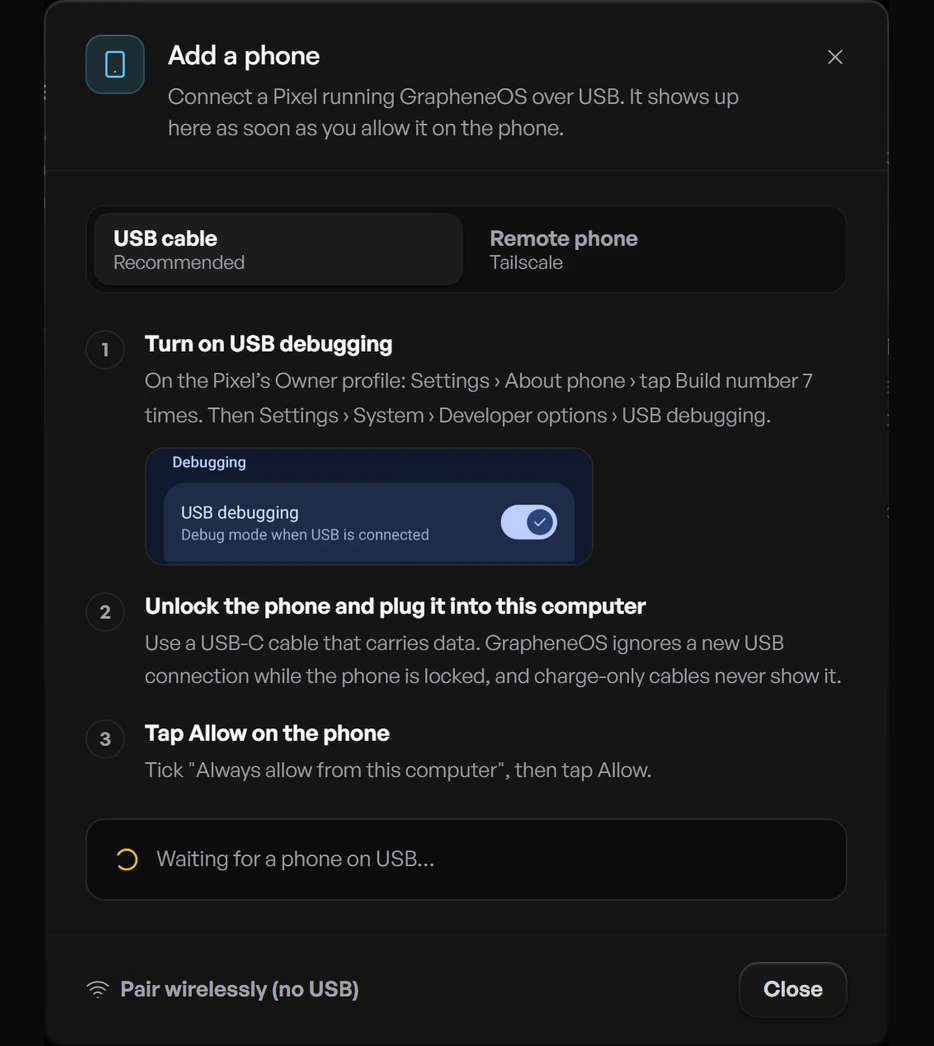
Add an Instagram account
Each account gets its own GrapheneOS profile. Create the profile, then register a new account or add one you already use.
Adding Instagram accounts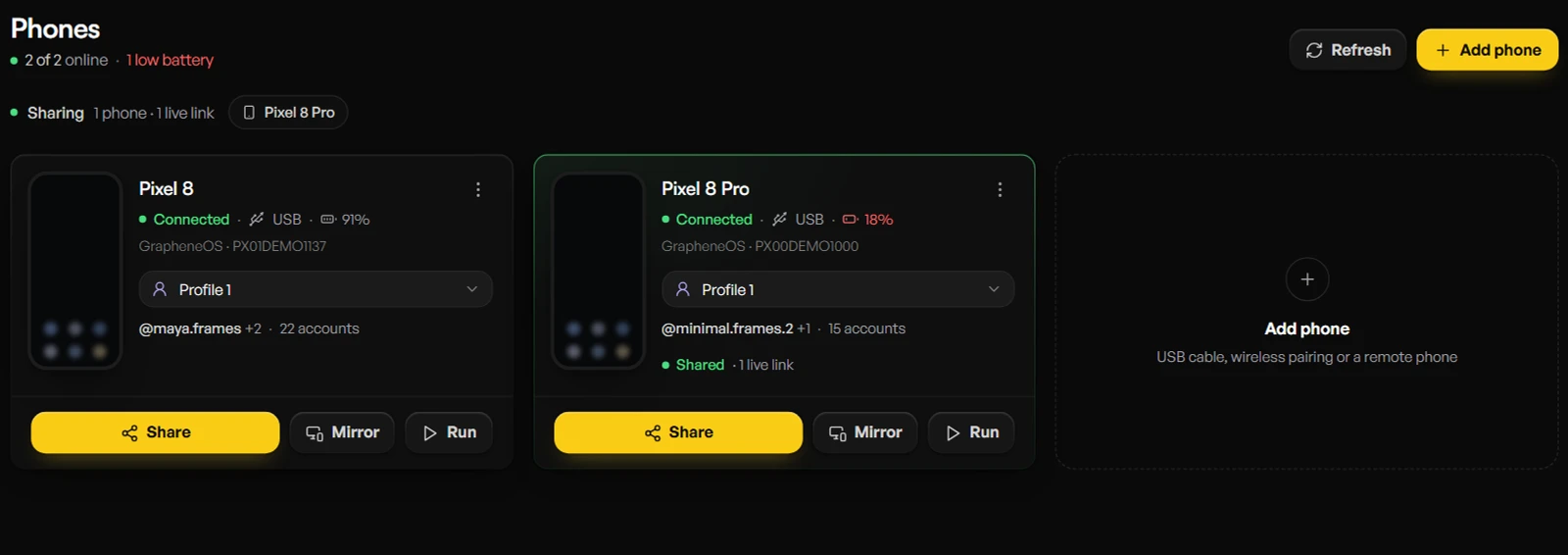
Schedule the first post
Put reels in the account's content folder, add a post time, and click Run Now to test one whole run. The Tutorial tab lists every step in this order inside the app.
Scheduling and timing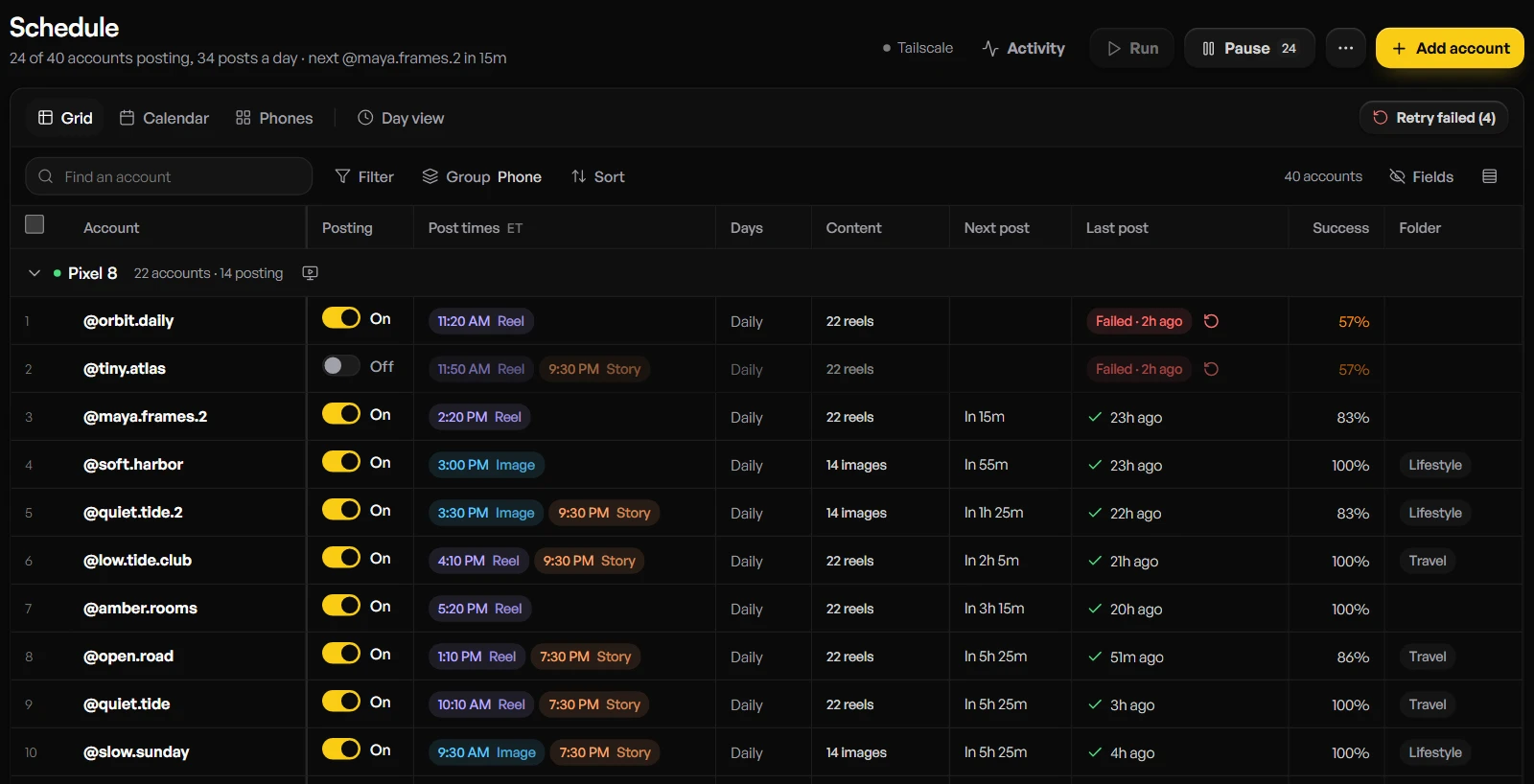
USB Phone Detection
Automatically detects every Pixel connected via USB with ADB
Real-time Control
Control multiple phones simultaneously with live screen mirroring
Local Media
Your content files stay on your computer. Your account syncs settings and schedules, not your media
System Requirements
Computer
- Windows 10 or later (64-bit), or macOS 11 or later
- 4GB RAM minimum (8GB recommended)
- 500MB free disk space
- USB 2.0 or higher ports
Phones
- A Google Pixel running GrapheneOS (Pixel 8 generation or newer for new purchases)
- USB Debugging enabled
- USB data cable (not charge-only)
- Google Play and Instagram installed on the Owner profile
Want every step in detail? Read the setup guide.
View Setup Guide